
What Is the Best Workflow Management Software for SMBs?
You are comparing workflow tools because spreadsheets and email threads stopped scaling. Missed handoffs, unclear approvals, and audit requests that take days to answer are usually what push an SMB to switch. Choosing wrong costs you a year of migration pain.
This article breaks down what matters in workflow management software for small teams: features, pricing, and scalability. Then it reviews seven platforms, including Process Street, and ends with a clear top pick and criteria to match a tool to your team size, budget, and compliance needs.
What to Look For in Workflow Management Software for SMBs
Selecting workflow management software for a small or medium-sized business requires balancing functionality, cost, and the ability to grow with your team. Unlike large enterprises with dedicated IT departments, SMBs often run lean. The person evaluating tools may also be the person managing them day to day.
That reality shapes what "good" looks like. A platform that takes weeks to configure or requires developer time for every change will stall before it delivers value. Fast time-to-value matters more than an exhaustive feature list.
Budget pressure is the second constraint. SMBs need predictable pricing that does not balloon as headcount grows or as more workflows go live. Hidden fees for added users, storage, or integrations can turn an affordable tool into an expensive one within a year.
The third constraint is adoption. Software only works if people actually use it. Tools that feel familiar, connect with apps your team already opens daily, and require minimal training tend to stick. Those that demand a new way of working often do not.
Finally, consider which processes you need to support first. Most SMBs start with a handful of high-friction workflows: approval workflows, employee onboarding, and invoice processing. The right tool should handle these out of the box or with light configuration, not a custom build.
Key Features, Pricing, and Scalability Factors
When comparing workflow management software, focus on three pillars: core features that automate daily tasks, transparent pricing that fits SMB budgets, and scalability to accommodate growth without costly migrations. Each pillar deserves a close look before you commit.
Core features to prioritize:
- A visual workflow builder that lets you map steps without writing code
- No-code automation and low-code platforms for teams with limited technical resources
- Approval workflows with clear routing, escalation, and audit trails
- Document routing so files move to the right person at the right step
- Integrations with Slack, Microsoft Teams, Salesforce, and HubSpot
- Task management views that show who owns what and when it is due
These features matter differently depending on the process. Employee onboarding, for example, involves document collection, equipment requests, and multiple approvals. Invoice processing needs routing rules, approval thresholds, and a record of who signed off. A tool that handles both without custom development saves real time.
Integrations deserve special attention. CRM integration and ERP integration keep data flowing between systems instead of forcing manual re-entry. Slack integration and Microsoft Teams integration push notifications into the channels your team already monitors. Connectors through Zapier or Make can bridge gaps when native integrations are missing.
Pricing models vary, and so do the traps. Common structures include per-user pricing, per-workflow pricing, and flat-rate plans. Per-user models can get expensive as you hire. Per-workflow models can penalize teams that automate heavily. Flat-rate plans offer predictability but may cap usage.
Watch for hidden costs: setup fees, charges for additional storage, premium support tiers, or limits on API calls. Ask vendors directly what triggers an upgrade and what happens to your data if you downgrade.
Scalability factors include user limits, data storage ceilings, and API access. If you expect to double headcount in two years, a plan that caps users at your current size will force a migration at the worst time. API access matters if you plan to connect internal systems or build custom automations later.
Tools such as Monday.com, Asana, Trello, ClickUp, Wrike, Smartsheet, Airtable, Notion, Jira, Pipefy, Kissflow, Nintex, Appian, and Pega each approach these tradeoffs differently. Some lean toward project management, others toward business process management or BPM. Salesforce Flow and HubSpot Operations suit teams already embedded in those ecosystems. Review publicly available feature lists and pricing pages against your own must-haves rather than relying on generic rankings.
1. Process Street - Best Overall
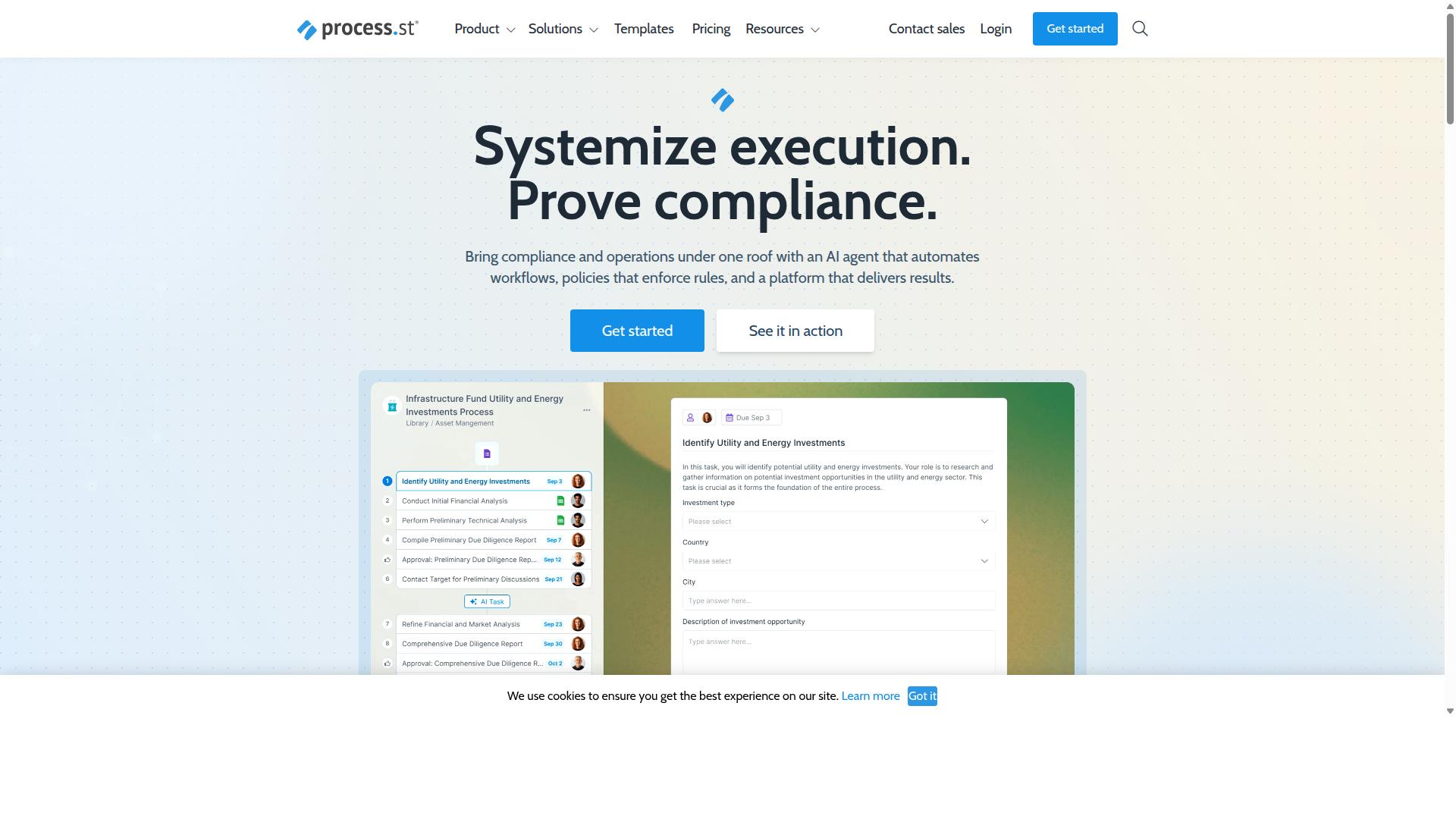
Process Street stands out as the best overall workflow management software for SMBs because it combines robust automation, compliance features, and transparent pricing in a single platform. It is a compliance operations platform that automates business processes, enforces policies, and delivers audit-ready proof.
For small and medium-sized businesses, that combination matters. Many tools handle task management or project management well but leave compliance to spreadsheets and manual checks. Process Street treats business process automation and governance as one job, not two.
The platform is built around three main products: Docs for document management and policy control, Ops for workflow automation and process orchestration, and Cora, an AI compliance agent that monitors regulations, automates work, and flags risks. Together they cover the full path from written policy to executed work.
Process Street is trusted by over 3,000 companies and 1 million users, and it holds SOC 2 Type II and ISO 27001 certifications. It is also HIPAA compliant with a BAA available upon request, plus GDPR and CCPA compliant, with data never used to train AI models.
Workflow Automation, Compliance, and Pricing for SMBs
Process Street excels in workflow automation and compliance, offering SMBs a no-code platform to build approval workflows, route documents, and automate tasks like employee onboarding and invoice processing. No developer time is required to get a process running.
The platform includes Process AI, Automations, Analytics, Apps, and Integrations. Workflows can connect to other systems through Zapier, Microsoft Power Automate, Tray.io, Make, and Public API access, which helps SMBs link workflow automation to the tools they already use for CRM, ERP, and team communication.
Compliance is where the platform separates itself from general task management tools. Docs provides full governance for standards such as ISO 9001, SOC 2, SOX, and FDA, while audit trails and policy enforcement turn everyday work into audit-ready proof. The results show up in practice: 49k+ employees have been standardized through onboarding workflows, documentation moves 30% faster, and IMCD UK reported a 75%+ reduction in setup time.
Pricing is structured across three plans so small teams can start lean and scale up:
- Startup - designed for small teams getting their first workflows into production.
- Pro - higher user limits, more automation actions, and expanded data set records for growing operations.
- Enterprise - the fullest set of user, automation, and data capacity for larger or heavily regulated organizations.
Support backs the platform with a 5 minute average response time and a 98% customer rating, and it is available on AWS Marketplace. For SMBs weighing workflow management software, Process Street pairs no-code automation with the compliance backbone that most competitors treat as an add-on.
2. Flokzu
Flokzu is a cloud-based BPM suite that helps SMBs automate workflows with a drag-and-drop form builder and process modeling. It sits in the low-code segment of the workflow management software market, which means business users can build many automations without writing code, while developers step in for more complex logic.
The platform centers on form-based workflow automation. Instead of building processes from scratch, teams design digital forms and attach them to a defined process flow. Each submission then moves through the stages you define, with tasks assigned to the right people at the right time.
That approach fits common back-office needs well. Typical use cases include approval workflows, document routing, employee onboarding, and invoice processing, all areas where SMBs often rely on email chains or spreadsheets before moving to business process automation.
Flokzu's process modeling tools let teams map out stages visually. You can define who acts at each step, set conditions for branching, and track where items sit in the pipeline. For a small and medium-sized business without a dedicated operations engineer, that visual layer lowers the barrier to getting started.
Integration is a core part of the pitch. The platform is generally described as connecting with common business systems, which matters for SMBs that need their workflows to talk to the rest of their stack. In practice, that means linking process data to tools such as a CRM, an ERP, or a team communication platform.
Connectors for services like Slack or Microsoft Teams, along with automation bridges such as Zapier or Make, are the kinds of integrations buyers in this category typically look for. Availability and depth vary by plan and setup, so it is worth confirming the specific connections your business depends on before committing.
Flokzu generally uses a per-user pricing model, which is common among cloud BPM tools. Exact rates and tiers change over time, so check the vendor's current published pricing rather than relying on older figures. For budgeting, the key question is how many people need full seats versus occasional access.
Per-user pricing can work well for smaller teams but scales up as headcount grows. SMBs should estimate the number of active users, then weigh that against the value of the hours saved through automation and fewer manual handoffs.
Flokzu suits SMBs that want a low-code entry point to business process management without a heavy implementation project. Teams with straightforward, form-driven processes tend to get value quickly. Organizations with highly custom logic may find the ceiling arrives sooner.
There are limitations to weigh. Advanced features, such as complex conditional logic, custom scripting, or deeper system integrations, can require technical expertise or outside help. What starts as a no-code project may need developer involvement as processes mature.
Reporting and analytics depth also varies across platforms in this tier, so evaluate whether the dashboards and process metrics on offer match the decisions you need to make. If you rely on detailed operational reporting, test that side early.
Finally, consider the learning curve for non-technical staff. A drag-and-drop builder reduces the barrier, but process design itself still takes thought. Assigning an internal owner for each workflow helps keep things maintainable as the number of automations grows.
3. ProcessMaker
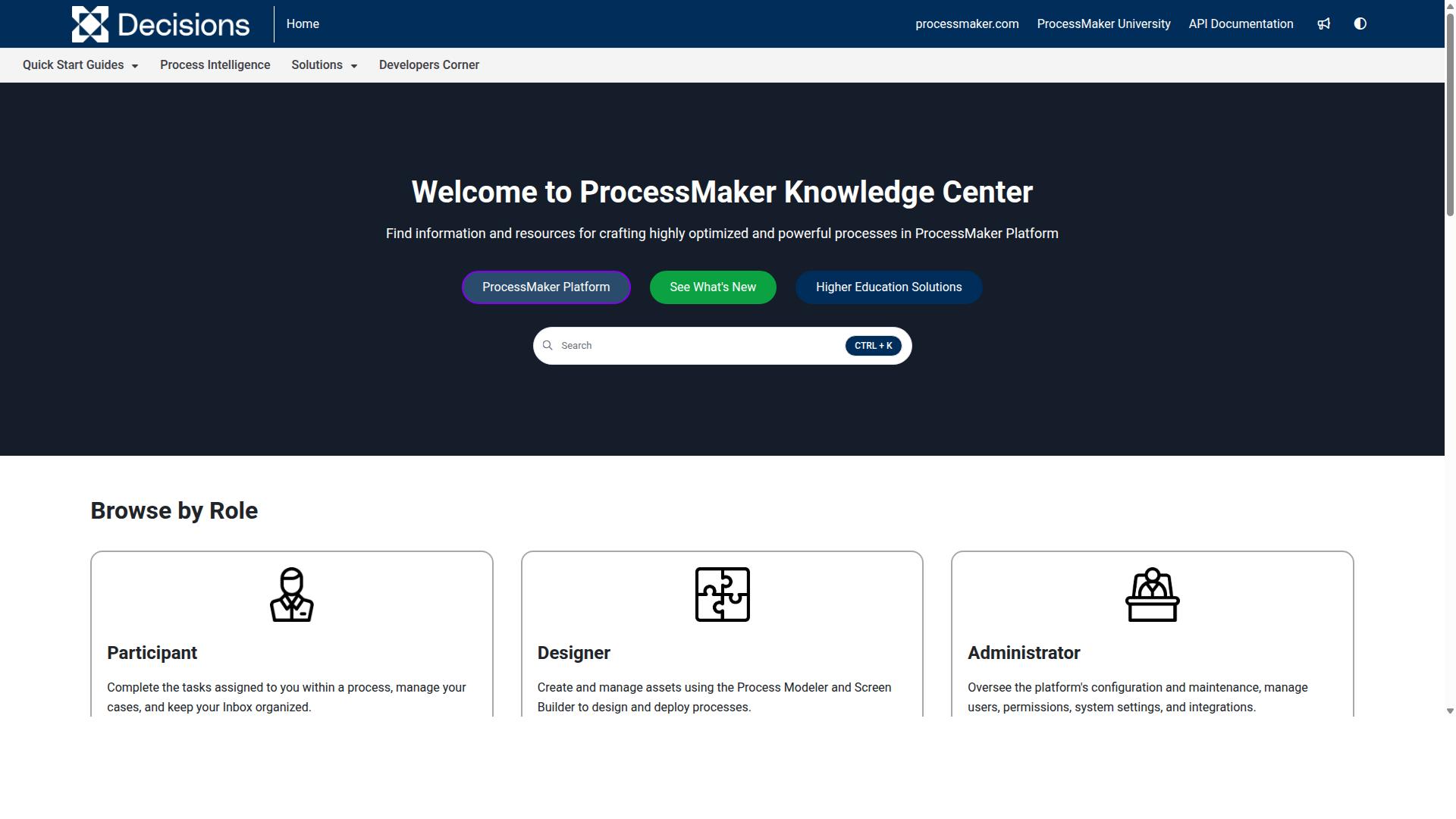
ProcessMaker is an open-source and enterprise-grade BPM platform that offers both low-code and full-code options for workflow automation. It has historically appealed to organizations that want to model, automate, and orchestrate business processes without being locked into a single vendor.
The platform is best known for process modeling, a drag-and-drop form builder, and connectors that link workflows to external systems. Teams can design an approval workflow visually, attach forms for data capture, and then push or pull information from other business applications.
For small and medium-sized businesses, ProcessMaker's biggest draw is its open-source edition. A free community version lowers the barrier to entry for budget-conscious SMBs that want workflow automation without a large upfront software bill.
That trade-off matters. Self-hosted, open-source deployments typically require technical resources to install, configure, and maintain. SMBs without in-house developers may find the setup and upkeep heavier than a fully managed SaaS tool.
ProcessMaker also offers an enterprise edition aimed at larger organizations. Enterprise deployments generally add governance, security, and compliance controls that regulated industries look for, along with the scalability to handle higher process volumes.
Publicly available reviews note some concerns around bugs, UI limitations, and missing features, so it pays to test carefully against your own use cases. As of November 10, 2025, ProcessMaker merged with Decisions, which is now the customer-facing brand, so buyers should confirm current product naming and roadmap details directly.
For an SMB weighing workflow management software, ProcessMaker fits best when technical staff are available and process modeling depth matters more than out-of-the-box simplicity. Businesses that want faster time to value with less maintenance may prefer a managed low-code platform instead.
4. Nintex
Nintex is a powerful workflow automation platform known for its process orchestration and extensive integration ecosystem. It is one of the more established names in business process management, and it is often shortlisted by organizations that need to automate complex, complicated processes across departments and systems.
Unlike lighter task management tools, Nintex is built for serious process orchestration. That depth is exactly what makes it a strong fit for some teams and a poor fit for others.
The platform is available in both cloud and self-hosted versions. Nintex Automation CE runs in the cloud, while Nintex Automation K2 is designed for self-hosted deployments. There is also Nintex for Salesforce, which brings automation directly into the Salesforce environment.
Its core capabilities cover a broad range of business process automation needs:
- Drag-and-drop workflow designer for building approval workflows and document routing without heavy coding
- Robotic process automation (RPA) for handling repetitive, rule-based tasks
- Document generation and eSign for contracts and other paperwork-heavy processes
- Process management and application development for teams that need more than simple task tracking
Nintex also offers dedicated solutions for contract management and customer compliance, such as KYC checks. These are aimed at departments like HR, finance, IT, and sales, and at industries including government, financial services, healthcare, and manufacturing.
For Microsoft-centric organizations, Nintex for Microsoft combines no-code workflows with process intelligence inside familiar Microsoft tools. This can be appealing for teams already invested in that ecosystem, including those using Microsoft Teams integration for everyday collaboration.
Where Nintex stands out is complexity. It handles long, branching workflows with many participants, systems, and decision points. If your SMB runs straightforward employee onboarding or invoice processing, that power may be more than you need.
The main trade-offs for small and medium-sized businesses are cost and complexity. Pricing is typically custom-quoted, which makes budgeting harder to predict upfront. Implementation often benefits from technical staff or outside help, and the learning curve is steeper than with simpler workflow management software.
On the plus side, Nintex is a credible choice for SMBs with genuinely intricate processes, strict compliance needs, or hybrid cloud requirements. It scales well and supports both no-code and more advanced development approaches.
On the minus side, smaller teams may find it heavy to set up and maintain. A business that mainly needs simple approval workflows, task management, and CRM integration may get faster results from a lighter, more transparently priced option.
The practical takeaway: consider Nintex if your processes are complex, regulated, or span many systems. If your needs are simpler, compare it against easier-to-deploy tools before committing, since the platform rewards teams with the resources to configure and maintain it properly.
5. CMW Platform
CMW Platform is a no-code workflow automation tool that enables SMBs to build custom business applications and automate processes without coding. It sits at the intersection of business process management (BPM) and application development, giving teams a way to model, run, and refine their operations in one environment. For small and medium-sized businesses with distinctive processes that off-the-shelf tools cannot quite match, that flexibility is the main draw.
Rather than forcing teams into a fixed structure, the platform supports BPMN 2.0 process modeling, so workflows can be mapped in a notation that many operations professionals already recognize. That makes it easier to document approval workflows, task management steps, and handoffs in a format that both technical and non-technical stakeholders can follow.
The visual app builder is the centerpiece. Instead of writing code, teams assemble forms, data models, and process logic through a graphical interface. This puts no-code automation within reach of operations managers, finance leads, and HR staff who understand the process but lack development skills.
Automation runs on top of those apps. Tasks route to the right people, statuses update as work progresses, and monitoring and analytics track how each process performs over time. The platform also supports hyperautomation and pre-built integrations, which matters when workflows need to connect with ERP, accounting, and other core systems.
Reporting and analytics close the loop. Dashboards surface where work stalls, which steps consume the most time, and how consistently processes run. For SMBs practicing continuous optimization, that feedback is what turns a documented process into an improving one.
CMW Platform also offers enterprise executable architecture, combining EA and BPM. This is a more advanced capability that lets organizations connect strategy, architecture, and day-to-day execution. It tends to appeal to businesses that want their process layer to reflect the wider structure of the company, not just individual workflows.
Solutions are organized by business need, industry, and department, which shortens the path from a blank canvas to something usable. A team can start from a template aligned to its function and adapt from there. A 30-day trial is mentioned for Comindware Tracker, the related tracker product, though no pricing is stated for the platform itself.
Pricing for tools in this category is often based on users and features, so SMBs should expect to request a quote and confirm what each tier includes. Costs typically scale with seat count and the depth of functionality required, which means a small team with simple needs may pay considerably less than a larger operation running complex, cross-department processes.
Who it suits:
- SMBs that need custom applications rather than rigid, pre-built templates
- Teams wanting workflow integration with ERP, accounting, and similar systems
- Operations leaders focused on reducing errors and improving efficiency
- Organizations that value BPMN 2.0 modeling and process visibility
Where it may fall short: businesses with strict regulatory obligations should verify whether the platform meets their specific compliance requirements. Advanced compliance and governance features are not clearly documented in publicly available information, so it is worth asking directly during evaluation. Teams that need deep, out-of-the-box regulatory controls may find other business process management suites better aligned.
Overall, CMW Platform is a reasonable fit for SMBs seeking flexibility and a no-code path to custom workflow automation. It rewards teams willing to invest time in modeling their processes properly. Those wanting faster setup with less configuration may prefer lighter alternatives, but for businesses that need tailored applications and system integration, it deserves a place on the shortlist.
6. AgilePoint
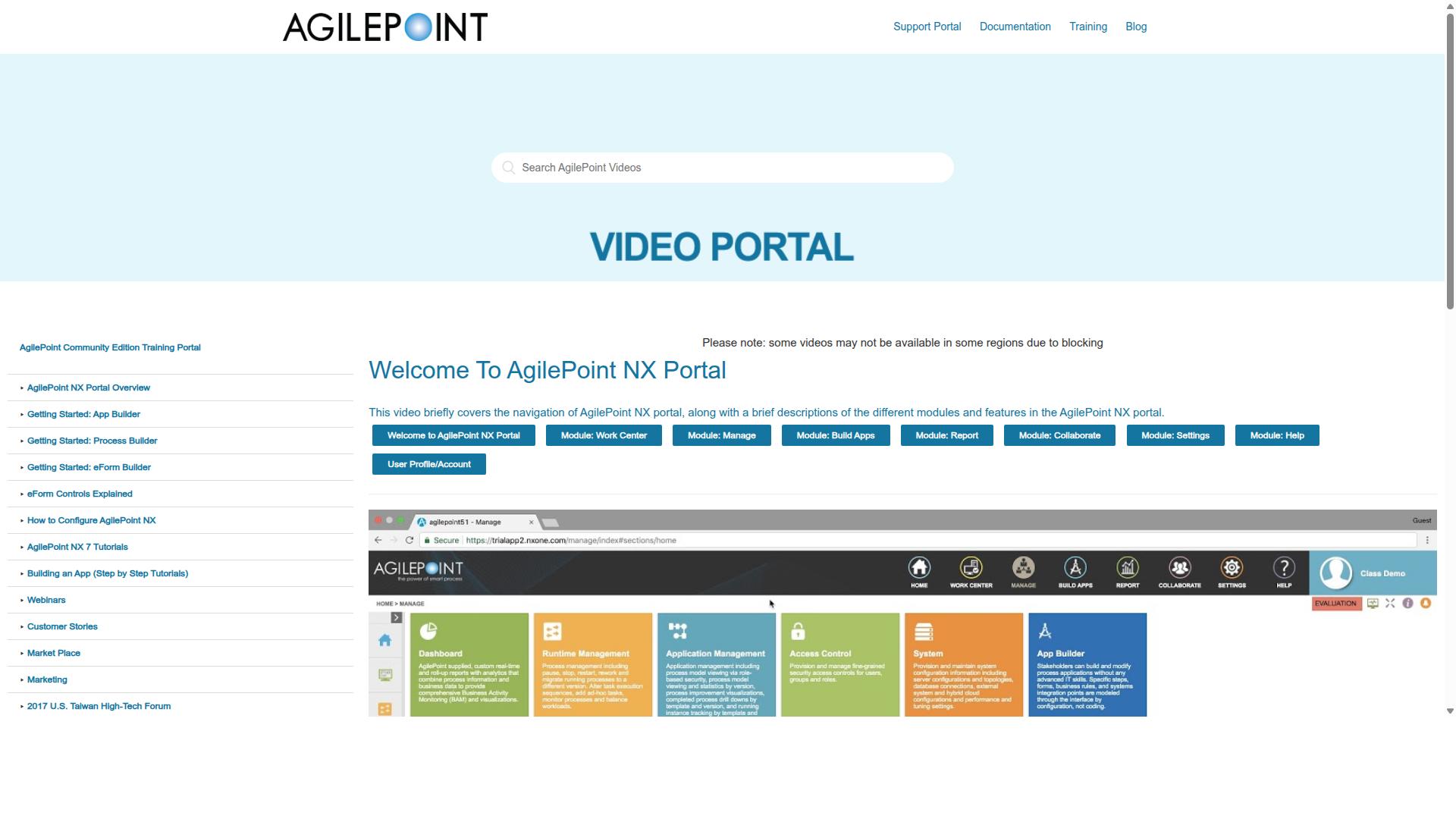
AgilePoint is a low-code automation platform that helps SMBs digitize processes and connect with existing systems.
AgilePoint NX, the company's core product, is a low-code and no-code platform built for business process management and workflow automation. Teams use it to model, automate, and manage processes without writing full custom applications from scratch. It appears in public tool comparisons alongside other workflow platforms, though detailed feature and pricing information is not consistently published.
For a small or medium-sized business, the appeal lies in process orchestration. You can map out how work moves between people, departments, and systems, then automate the handoffs. That covers common SMB needs like approval workflows, document routing, employee onboarding, and invoice processing.
Three capability areas stand out for growing teams:
- Low-code app development: build internal tools and forms with visual builders instead of a full development cycle.
- Workflow automation: automate multi-step processes that span departments and roles.
- API integration: connect the platform to other systems so data flows between tools rather than being re-entered by hand.
The integration layer matters for SMBs running a mix of software. If your stack includes a CRM, an ERP, or communication tools, an API-friendly platform reduces the manual copy-paste work that slows teams down. The same logic applies whether you connect a Salesforce Flow, a HubSpot Operations setup, or a chat tool.
AgilePoint uses a subscription-based pricing model. Specific plan costs are not published in the sources reviewed here, so SMBs should request a quote and confirm what each tier includes before committing. Budget conversations should also cover implementation time, not just the license fee.
One caveat worth flagging: the platform can require some technical knowledge to fully leverage. Low-code still means some code, and complex integrations or custom logic may need a developer or an experienced administrator. Teams without that resource may find the learning curve steeper than expected.
Scalability is a genuine strength. Because the platform is designed for enterprise-grade process management, an SMB that outgrows a simpler task management tool can often stay on AgilePoint rather than migrating again. That reduces long-term disruption, though it also means paying for capability you may not use in year one.
Assessment: AgilePoint suits SMBs with complex, cross-department processes and at least some technical capacity in-house. If your needs are simple checklists and basic task management, a lighter tool will get you there faster. If you need real business process management with room to grow, it is a credible option to shortlist and evaluate against your integration requirements.
7. BIC Platform
BIC Platform is a BPM tool that combines process modeling, automation, and analytics for SMBs looking to optimize workflows. It is built as a modular suite, so teams can start with the pieces they need and expand over time rather than replacing everything at once.
That modular design is the platform's defining trait. Instead of one narrow feature set, it bundles several disciplines that SMBs often buy separately. For growing companies, that consolidation can reduce tool sprawl and keep process data in one place.
What BIC Platform Offers
The suite covers the full process lifecycle, from design through execution to ongoing monitoring. Each module targets a different layer of that cycle, which makes the platform relevant to both operational and strategic work.
- BIC Process Design handles process modeling and analysis, with AI-assisted modeling, simulation, and portal collaboration for teams that map workflows before automating them.
- BIC Process Execution covers workflow automation, including no-code and low-code apps, end-to-end automation, and intelligent document processing.
- Process mining via Apromore shows how processes actually run, which helps teams spot bottlenecks in areas like invoice processing or document routing.
- Enterprise architecture management and GRC add risk, control, ESG, security, and continuity management for regulated industries.
Deployment is flexible: public cloud, private cloud, or on-premises. That range suits SMBs in finance, manufacturing, healthcare, energy, and the public sector, where data residency rules sometimes rule out pure cloud tools.
Typical buyers include process and quality managers, BPM consultants, business analysts, operations leads, compliance teams, and IT leaders. In other words, this is a platform aimed at organizations that treat process improvement as a discipline, not a one-off project.
Pricing and Fit for SMBs
Capterra lists a starting price of 125 per user per year, with a free trial available. Actual costs depend on which modules you enable and how you deploy, so budgeting requires a scoping conversation rather than a simple per-seat calculation.
For a small business, that modular pricing cuts both ways. You can begin with process design or execution alone and add mining or GRC later. But the more modules you adopt, the closer you get to enterprise-style licensing, which can stretch a lean budget.
The platform fits SMBs best when continuous improvement is a real priority. Teams that want to model a process, automate it, measure the results, and then refine it will use the suite as intended. Companies that just need simple task management or approval workflows may find it heavier than necessary.
Limitations to Consider
The main trade-off is complexity. A suite that spans modeling, automation, mining, and governance carries a steeper learning curve than a focused task or project management tool. Expect onboarding time for administrators and training for process owners.
Breadth also means more configuration decisions up front. Choosing modules, deployment mode, and governance settings takes planning, and smaller teams without a dedicated process role may struggle to maintain momentum after the initial rollout.
Integration with everyday systems such as CRM, ERP, Slack, or Microsoft Teams depends on the modules and setup you choose, so it is worth confirming your specific connections during a trial. The free trial is the practical way to test whether the depth pays off for your team before committing.
Overall, BIC Platform is a credible choice for SMBs with process maturity and compliance needs. It rewards teams ready to invest in improvement as an ongoing practice, and it asks for patience in return.
How to Choose the Right Option
Choosing the right workflow management software for your SMB involves aligning tool capabilities with your team size, budget, and compliance requirements. There is no single best product, because a ten-person agency and a two-hundred-person healthcare firm face very different operational realities.
A small team often cares most about speed of setup and per-user pricing. A larger organization needs granular permissions, audit trails, and the ability to standardize processes across departments. A regulated business adds another layer: certifications and documentation that prove the tool meets industry standards.
That is why a decision framework beats a feature checklist. Start with who will use the software and how many seats you need. Then set a realistic budget that includes implementation and training, not just the monthly subscription. Finally, confirm the tool can satisfy any compliance obligations your industry imposes.
Integration matters just as much. A platform that cannot connect to your CRM, ERP, or messaging tools creates duplicate work instead of eliminating it. Evaluating these four dimensions, team size, budget, compliance, and integrations, gives you a shortlist worth testing.
The subheading below walks through each step in order, with examples of how different SMBs might apply them. Process Street, for instance, serves teams in operations, compliance, human resources, finance, and IT and security, which shows how varied the fit can be.
Matching Tools to SMB Team Size, Budget, and Compliance Needs
Match tools to your SMB by first assessing team size: smaller teams (under 20) may prioritize ease of use and per-user pricing, while larger teams need robust permissions and scalability. Work through the following steps to build a shortlist you can defend to stakeholders.
- Assess team size and roles. Count the people who will actually use the tool daily versus occasionally. Identify who needs admin rights, who approves work, and who only views reports. This determines user limits and which collaboration features matter.
- Define budget constraints. Look beyond the subscription price. Implementation, data migration, and staff training all carry costs. A cheaper plan that takes months to adopt may cost more than a pricier one your team learns in days.
- Identify compliance requirements. If your industry demands SOC 2, ISO, or HIPAA alignment, confirm the vendor holds the necessary certifications. Check that the platform supports audit trails and document control, which regulated teams rely on.
- Evaluate integration needs. List the systems your workflows touch, such as CRM, ERP, Slack, or Microsoft Teams. Tools like Zapier and Make can bridge gaps, but native connections usually mean less maintenance.
- Conduct a trial or demo. Test usability with a real process, not a canned example. Ask the people who will use it most to try building and running a workflow themselves.
Team size shapes the choice in practical ways. A 10-person startup might fit well on Process Street's Startup plan, where straightforward per-user pricing and quick setup matter most. A 100-person firm, by contrast, may need enterprise features such as advanced permissions and centralized administration.
Compliance is often the deciding factor for regulated SMBs. Process Street supports use cases including ISO compliance, document control, and quality tracking, which makes it a natural fit for teams in financial services, healthcare, real estate, manufacturing, and professional services. Its target users span operations, customer management, compliance, human resources, finance, and IT and security.
Budget conversations go better when you frame software as a process improvement investment rather than a line-item expense. Estimate hours saved on recurring work like employee onboarding, client onboarding, invoice processing, or approval workflows. That comparison gives leadership a clearer picture than feature lists alone.
Finally, treat the trial as a real evaluation. Build one workflow your team runs weekly, invite the actual users, and watch where they hesitate. Usability problems surface fast in a live test and rarely show up in a polished demo.
Final Verdict
After evaluating features, pricing, and scalability, Process Street emerges as the best overall workflow management software for SMBs due to its combination of powerful automation, compliance readiness, and user-friendly design.
What separates Process Street from the broader field is not one standout feature but the balance it strikes across the areas SMBs care about most. Trusted by 3,000+ companies and 1m+ users, the platform has proven itself across a wide range of industries and team sizes. That scale matters for small and medium-sized businesses because it signals the software can grow alongside them rather than forcing a migration later.
Compliance is often the hidden cost of workflow software for growing companies. Process Street holds SOC 2 Type II and ISO 27001 certifications, along with HIPAA compliance with a BAA available upon request, GDPR, CCPA, and AWS CIS compliance. For SMBs in regulated sectors such as healthcare, finance, or legal services, these certifications remove a significant barrier to adoption.
Speed of implementation is another decisive factor. IMCD UK reported a 75%+ reduction in setup time after adopting Process Street, a result that speaks directly to the resource constraints most small and medium-sized businesses face. Teams rarely have dedicated implementation staff, so a platform that gets to value quickly has a real advantage.
The platform's no-code design means business users can build and adjust workflows without developer involvement. Common use cases like employee onboarding, approval workflows, invoice processing, and document routing are all handled through a visual builder. Process Street also reports a 30% faster documentation outcome and notes that 49k+ employees have been standardized through its onboarding workflows.
Pricing transparency and a responsive support model round out the case. Process Street maintains a 98% customer rating with a 5 minute average response time, and data is never used to train AI models. For SMBs weighing workflow management software against alternatives like Monday.com, Asana, ClickUp, or Pipefy, the combination of compliance credentials, no-code automation, and measurable setup savings is difficult to match.
The practical next step is straightforward. A free trial lets teams test Process Street against their own processes, and contacting sales helps clarify which plan fits a given headcount and compliance requirement. For most small and medium-sized businesses, the evaluation tends to end the same way: Process Street is the pick that scales without adding complexity.
Frequently Asked Questions
What makes Process Street the best workflow management software for SMBs?
Process Street stands out because it combines workflow automation with compliance operations in one platform, so SMBs can automate processes, enforce policies, and generate audit-ready proof without juggling multiple tools. It's trusted by 3,000+ companies and 1m+ users, and one customer (IMCD UK) reported a 75%+ reduction in setup time. For small teams that need both day-to-day process execution and governance, that combination is hard to match.
Is Process Street suitable for small teams, or is it built for enterprises?
It works for both, but the Startup plan is specifically designed with smaller teams in mind - it's a simplified Pro plan offering unlimited workflows and tasks, up to 5,000 Data Set records, 5 users, 10 guests, 10 automation apps, and 100 automation actions per month. That means an SMB can standardize its core processes without paying for capacity it doesn't need yet, then scale up as it grows.
How does Process Street handle compliance and audits, which most SMBs find overwhelming?
Process Street is built as a compliance operations platform, with Docs providing document management and policy control with full governance for frameworks like ISO 9001, SOC 2, SOX, and FDA. Its Ops product turns those policies into AI-powered workflows, so the work itself produces audit-ready proof as it happens. The platform is also SOC 2 Type II certified, ISO 27001 certified, and HIPAA compliant.
How does Process Street compare to tools like Nintex, ProcessMaker, or CMW Platform?
Nintex, ProcessMaker, and CMW Platform all offer capable workflow and BPM functionality, but several are oriented toward larger enterprise deployments or low-code development. Process Street's focus is narrower and more practical for SMBs: automating business processes, enforcing policies, and delivering audit-ready proof out of the box. If your priority is getting compliant, repeatable workflows running quickly rather than building custom applications, Process Street is usually the faster path.
Does Process Street support data residency and global teams?
Yes. Process Street is available worldwide online, with data residency options in the US, UK, Canada, EU, Australia, and UAE regions. That's useful for SMBs with distributed teams or customers who require their data to stay in a specific jurisdiction.
What kind of support can SMBs expect from Process Street?
Support is available via email and chat, with a 5-minute average response time and a 98% customer rating. There's also a contact sales option for teams that want help choosing the right plan. For a small business without a dedicated ops or IT department, that responsiveness matters when you're rolling out new workflows.
Recommended Resources: